Letting Nokia teams ask Jira anything in plain language, inside NokiaGPT
- Company
- Nokia
- Platform
- Web · GenAI assistant + admin portal
- Timeline
- 2024
- Role
- Senior Product Designer
The problem
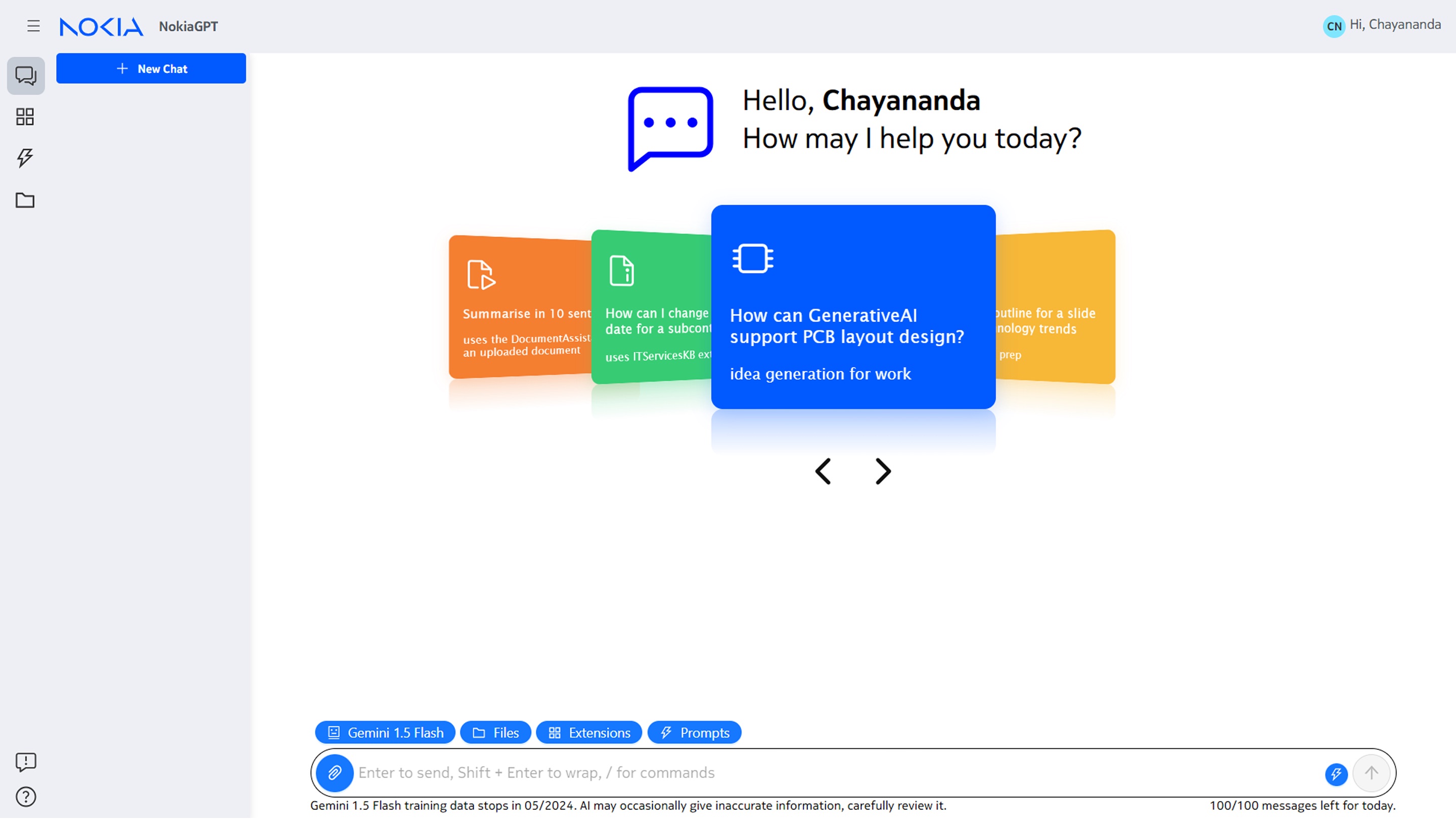
Nokia teams track their work across many Jira projects. Finding similar issues or past fixes meant keyword searches or Jira's query language, long tickets and comment threads had to be read end to end, and project owners pieced together status, velocity and effort by hand. NokiaGPT, Nokia's internal GenAI assistant, was adding a Jira integration so people could search, summarize and update Jira in natural language with metadata filters. It had to work for both everyday users and project owners.
My role
Senior Product Designer. Led use-case discovery and designed the conversational experience for the Jira integration.
Users
End users who work in Jira every day, project owners who track teams and releases, and admins who manage the data NokiaGPT can see.
Scope
Finding information (search, similar fixes, summaries, status), updating Jira (comments, assignment), project insights (velocity, effort, resolution time), and an admin crawler with a scheduler that keeps the Jira data fresh.
Design approach grounded in my Interaction Design training at the National Institute of Design (NID).
How I worked
Gathered use cases from the teams
Collected use cases from several Nokia teams and mapped each one to a persona (end user or project owner) and a type: finding information or updating it.
Kept GenAI where it adds value
Dropped requests Jira already handles well, like reports its query language can build, and parked ones that needed visual generation or automatic assignment for a later release.
Designed around real questions
For each use case I wrote example prompts and the ideal answer, such as finding similar issues from the last quarter, summarizing the latest comments on a ticket, or listing a sprint's open and closed work.
Designed the Jira crawler for admins
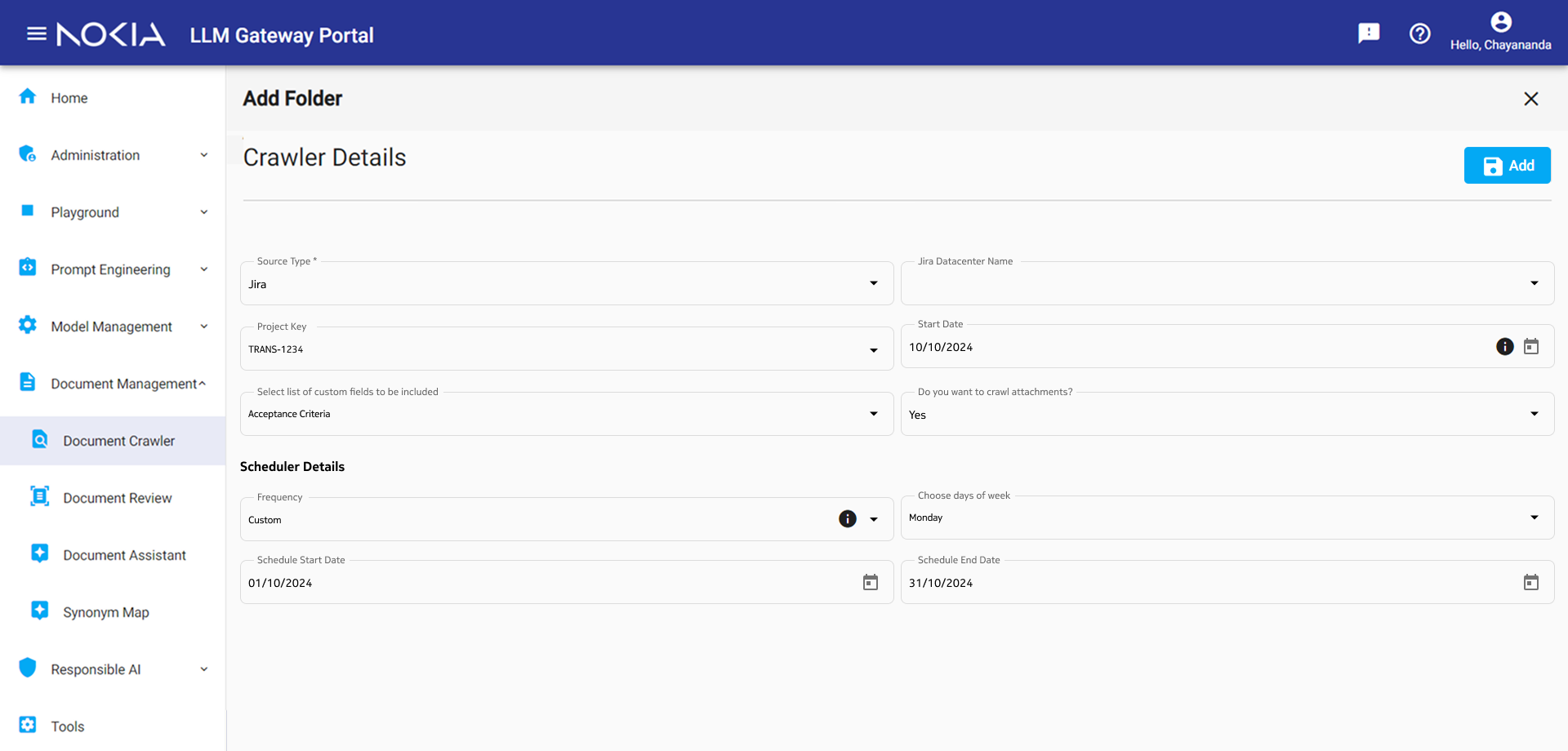
In the LLM Gateway admin portal I designed a crawler page where admins add a Jira project as a source, choose the start date, which custom fields to include (such as acceptance criteria) and whether to crawl attachments, then set a schedule: how often, which days, and start and end dates. NokiaGPT's Jira knowledge stays current without manual uploads.
Planned for the data early
Worked with engineering on data sources, data quality and how content is chunked, and on a shared vector store so other Nokia teams could reuse the same Jira data without duplicating it.
Crawler details, field by field
Admins add Jira to NokiaGPT from the Document Crawler in the LLM Gateway portal. I built the form with Nokia's existing design system, so the fields, dropdowns, date pickers and info tooltips work like the rest of the portal and admins don't have to learn anything new. Each field answers one question the crawler can't guess.
What to crawl
- Source type
- The crawler is built for more than one source. Picking Jira first lets the rest of the form show only the fields Jira needs.
- Jira data center
- Nokia runs more than one Jira instance, so admins choose which one the crawler connects to.
- Project key
- Limits the crawl to one project, so NokiaGPT only learns from data that team owns and is allowed to share.
- Start date
- Skips years of old tickets, keeps answers current and makes the first crawl faster.
- Custom fields
- Teams keep key context in their own fields, like acceptance criteria. Admins opt in to the ones that matter instead of indexing everything.
- Crawl attachments?
- Attachments add useful context but take more time and storage, so it's a yes/no choice per project.
When to crawl
- Frequency
- Teams update Jira at different rates. Presets cover most needs, and Custom handles the rest.
- Days of week
- Runs the sync on the days that suit the team, for example before sprint planning.
- Schedule start and end
- Time-boxes the sync to a release or pilot so it stops on its own instead of running forever.
What moved
What changed for users
Before
- Finding related issues meant keyword search or writing Jira queries
- Long tickets and comment threads read end to end
- Epic and sprint status pieced together from many tickets
- Velocity, effort and resolution time analysed by hand
After
- Ask in plain language, narrow down with metadata filters
- Short summaries of tickets, comments and documents
- Status of an epic or sprint summarized on request
- Comment on and assign tickets straight from the chat
- Jira content kept up to date by a crawler admins schedule
What I took away
The most useful step was talking to the people who actually live in Jira. Their questions decided which use cases were worth building with GenAI, and planning the data early kept the work reusable for other teams.Chayananda Nagesh · Senior Product Designer
Let's build something people finish using.
I'm looking for senior and lead product design roles on complex enterprise and AI products. Based in Bengaluru, open to hybrid and remote.
nchayananda@gmail.com
Write to me